Product Pricing Guidelines: What Every Seller Should Know
When listing products on TikTok Shop, sellers must enter accurate and compliant pricing to maintain trust and avoid policy violations. Below is an overview of pricing types, guidelines, and common violations, along with instructions for price setup and appeals.
Types of Product Pricing
The following definitions apply to prices entered by sellers during the product listing process.Type | Description |
Retail Price | The standard price entered during the listing process in Seller Center. |
Product Discounted Price | Discounted or reduced price set via TikTok Shop promotional tools. |
Shipping Fee | The delivery cost charged to the customers, considered part of the overall price. |
How to Avoid Common Pricing Pitfalls
To protect buyer trust and remain compliant, avoid the following types of misconduct:Unreasonable Pricing
- Excessively high prices compared to similar products
- Multiple or fluctuating prices for the same item
- Unrealistic prices not intended for actual sale
False or Misleading Prices
- Misleading discounts or promotional claims to drive sales
- Price inconsistencies between product titles, images, and product details
Breach of Price Commitments
- Not honouring lowest-price guarantees
- Not honouring or agreed prices (e.g. changing the price after it was confirmed with a buyer)
Clickbait Pricing
Using misleading pricing tactics to increase views or visibility such as:
- Setting unrealistically low prices to attract clicks without intent to sell at that price
- Listing products that are out of stock to drive traffic
- Adding cheaper small items or add-ons to a main product listing, so the advertised price looks lower
- Mixing single items with bundles or multipacks without making the difference clear to the seller
- Combining different product categories in one listing
- Using unusual or unclear sales units to make the price appear low
- Mixing products with different functions or key attributes in one listing, so the advertised price does not reflect the main product
Excessive Shipping Fees
Sellers are responsible for setting shipping costs in the Shipping Fee Template in Seller Center. While shipping fees may vary based on distance, product weight, or delivery speed, excessive delivery charges are not allowed.Example: a £4.99 t-shirt with a £19.99 shipping fee would be considered excessive.How to Avoid Excessive Shipping Fee Violations
- Set the Correct Shipping Fee Ranges in the Shipping Template:
- Take Action on Excessive Shipping Fee Detection Warnings:
- You will receive a warning with a 7 day notice period before enforcement
- Review and adjust your shipping template within the 7 day notice period
- If no action is taken within the 7 day notice period, all products linked to the affected warehouse may be deactivated.
Enforcement Actions and Appeals
We regularly review your shop's compliance with platform policies and may take enforcement action if violations related to misleading pricing, unreasonable prices, or excessive shipping fees are found. This may include assigning violation points, removing product listings, suspension, or deactivation. For more information on enforcement actions, refer to our TikTok Shop Seller Performance Evaluation Policy.How to navigate Product Pricing in Seller Center
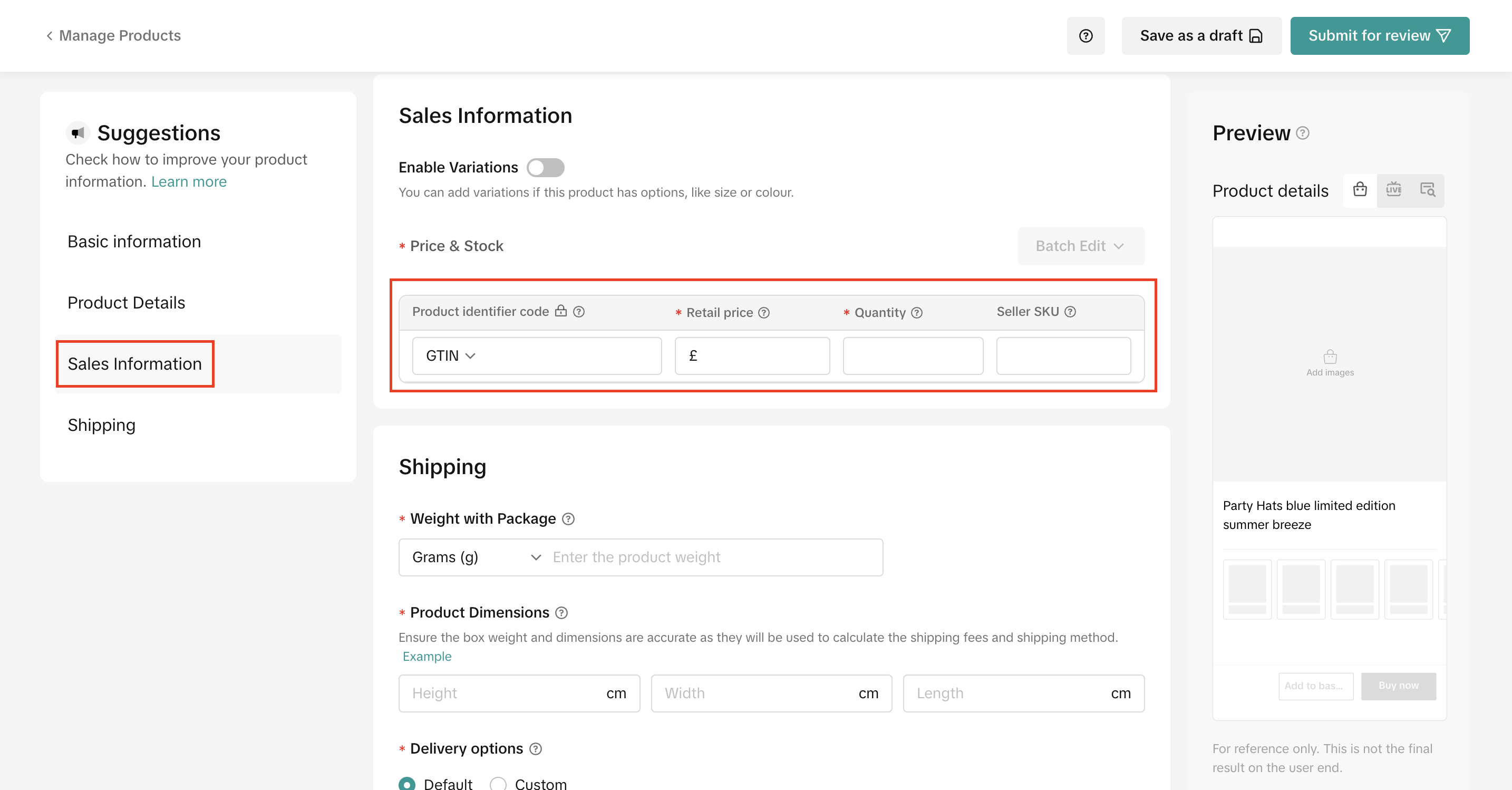
When listing a product, make sure the pricing is accurate and compliant. Follow these simple steps:How to Enter Product Pricing in Seller Center
- Complete the product details, including pricing, in the "Sales Information" section on the Add new product page.
Bulk Upload
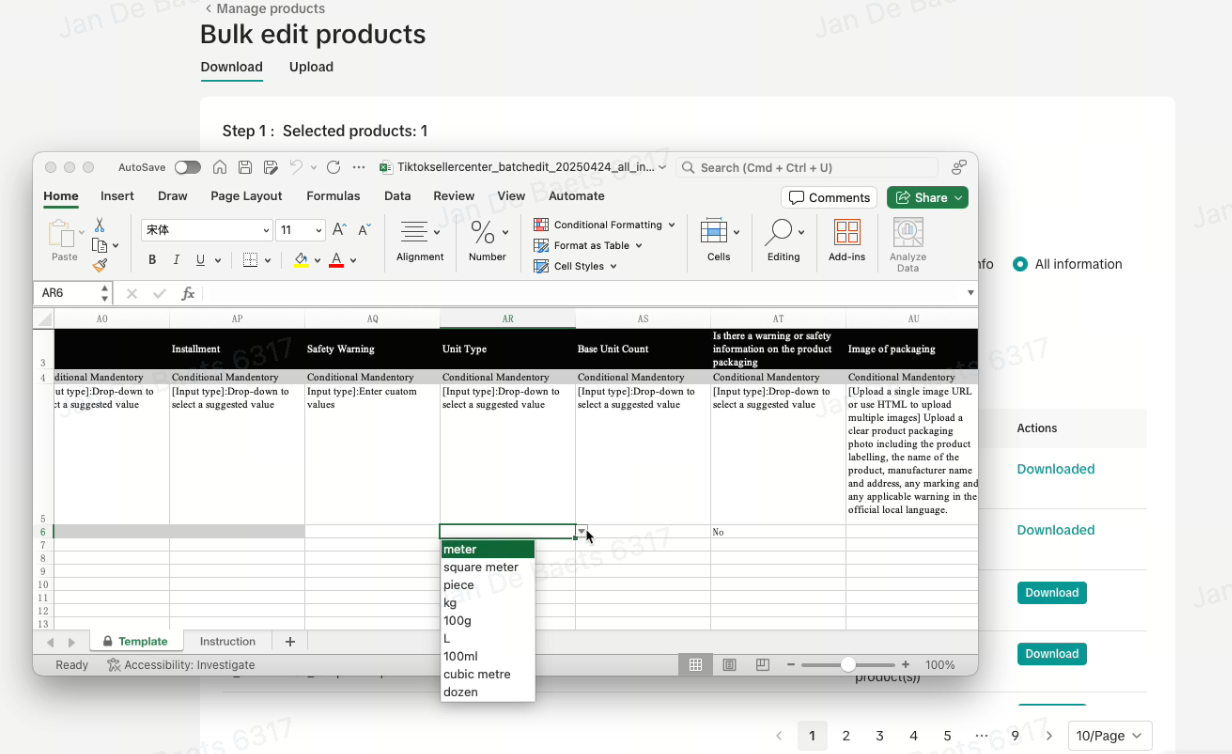
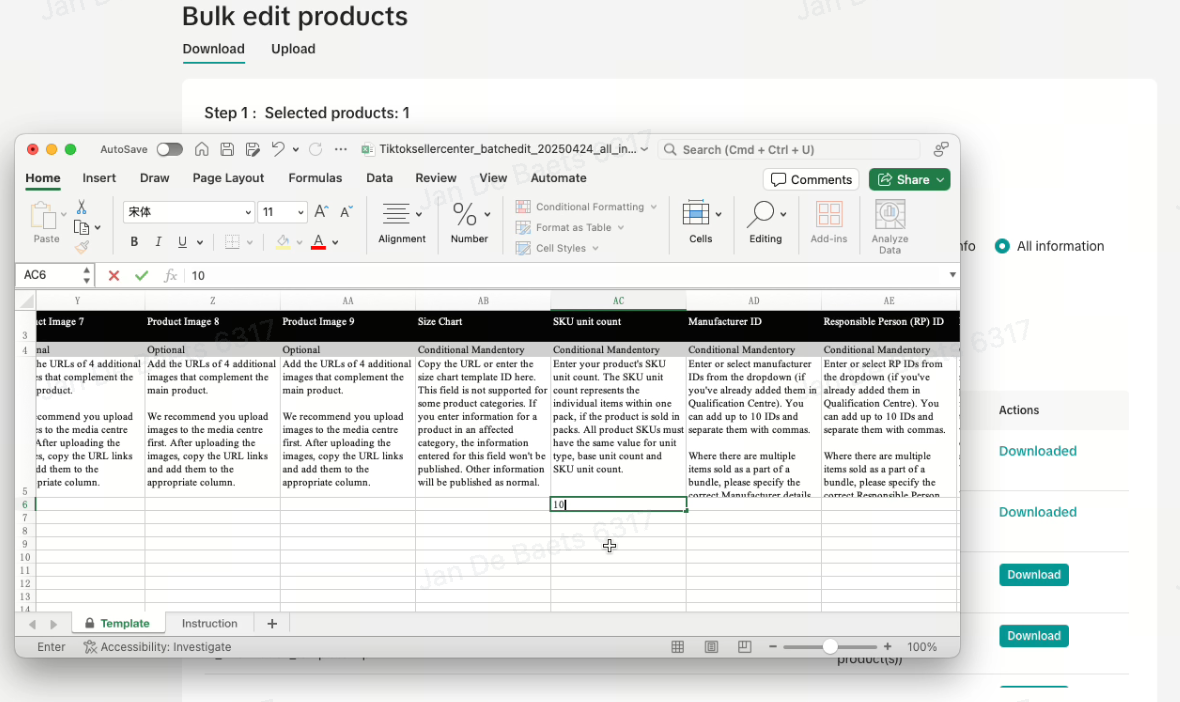
- Go to manage products "bulk edit products", click "select products", "generate template" and "download"
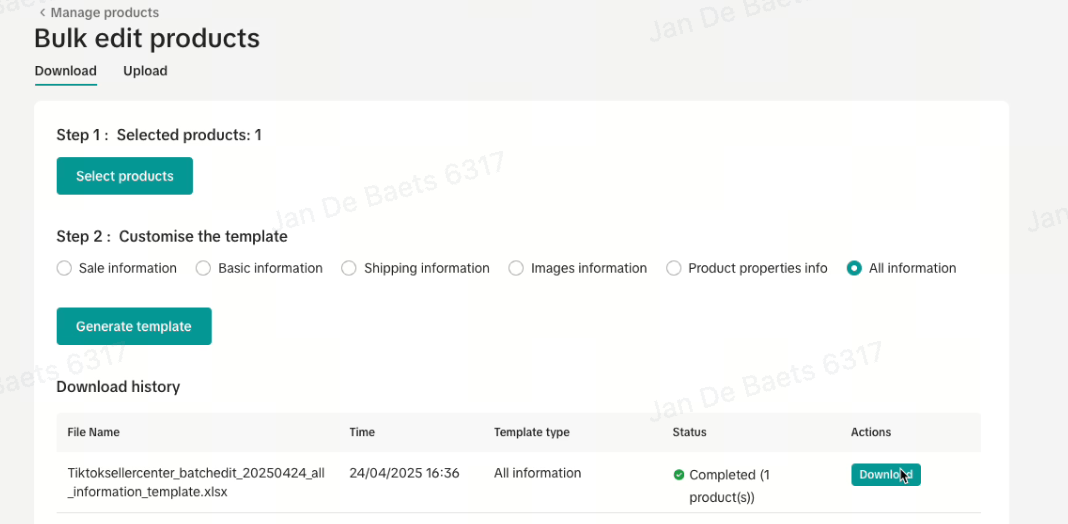
- Open downloaded file and select "unit type", type "base unit count" and indicate "SKU unit count". Then upload file with changed data entries