

Guidelines for Editing Listed Products

This guide aims to help sellers to improve managing their listed products. Please note that the policies and examples provided here are not exhaustive. TikTok Shop's policies may change periodically. For the latest updates, please visit TikTok Shop Policy Center
What do the policy checks for product listing look like?
When sellers upload a product on the TikTok Shop Platform, the listed products go through policy checks to ensure compliance with the TikTok Shop Policies: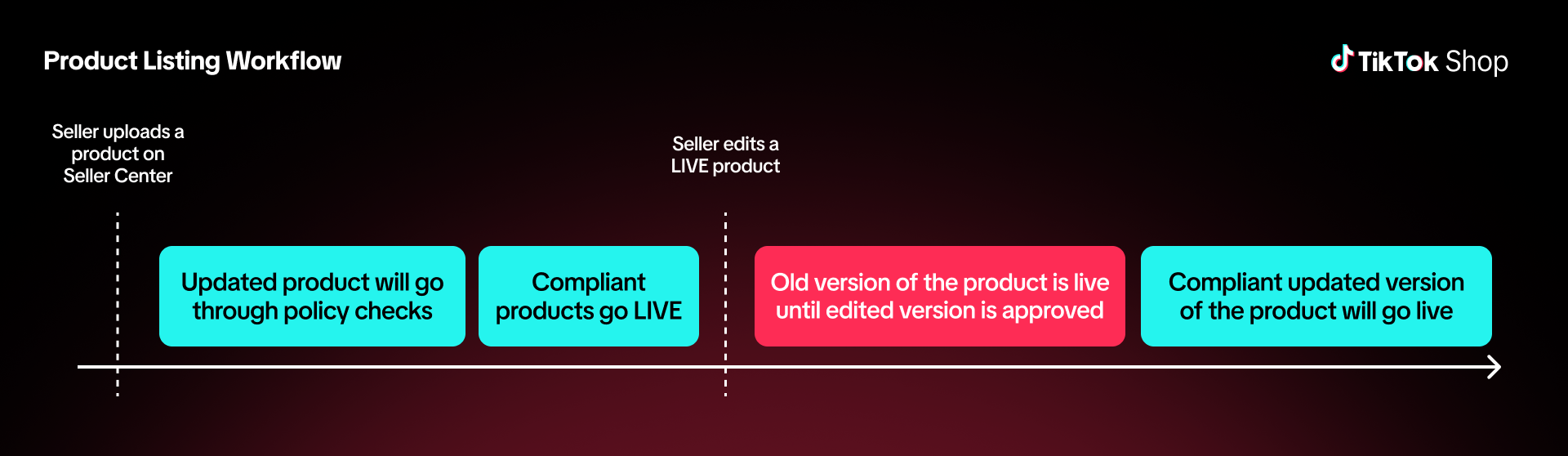
Before uploading a product
Prior to uploading a product, sellers should take note of the following:
❌ Don't upload Prohibited Products❌ Don't upload Unsupported Products❌ Don't upload Restricted Products ❌ Sellers who were invited and onboarded through the invite-only process can only sell invite-only product categories
During product upload
For sellers to save time and operational bandwidth and to prevent going back and forth editing the listed products, sellers should prepare the necessary information ahead of time:
✅ Product title should be aligned with the product naming policy
✅ Product description should be consistent with the product being sold
✅ When promoting, product information should not contain unsupported functionality and benefit claims
✅ Tag the product with the correct product category
✅ Upload product images and videos that are compliant with TikTok Shop policies
✅ Including size charts to avoid unnecessary returns & refund requests
📍To upload a product, sellers should go to Seller Center Add new product
Things to consider before editing a published product
For a better selling experience, sellers are encouraged to:
✅ When uploading a product, ensure the accuracy and compliance of the product listed and its information
✅ Limit the need for product edits as much as possible. This is because each instance of editing and submission goes through policy checks
📍Important Note: When editing an existing product listing, the old published version will be kept LIVE until the edited version completes the policy checks and gets approved.
How fast could the edited product listing go LIVE?
We endeavour to review and approve edits as quickly as possible within 24 hours. In some cases, this may be slightly longerCampaigns
During campaigns, policy checks may take up to 48 hours. Sellers must secure accurate and complete product listings before uploading to reduce the need to edit.🚨 Topics that you may be interested in: