

Product Categorisation
Choosing the Correct Product Category
Selecting the correct category and subcategory increases the reach and discoverability of your product listing. Sellers should take extra care in ensuring that the selected product category and subcategory match the actual product sold.What is Considered an Incorrect Category?
Product listings will be flagged for "Incorrect Category" if the seller places a product under a category and/or subcategory that does not match the actual product sold. For example, categorising food products under the "kitchenware" category will be considered as an "Incorrect Category" choice.Basics of Choosing Correct Category
Sellers should consider their product's features and functions when choosing the correct product category. A correct category choice is one that matches the product's function and description. For example, a dress can be categorised under the "womenswear" category.Sellers have two ways to select the relevant product category:
- By selecting from the list of available categories; or
- By inputting keywords.
Choosing a Category via the List of Categories
Sellers can review the list of available categories and subcategories in the Seller Center. Accordingly, sellers should assess the product and select an appropriate category for it.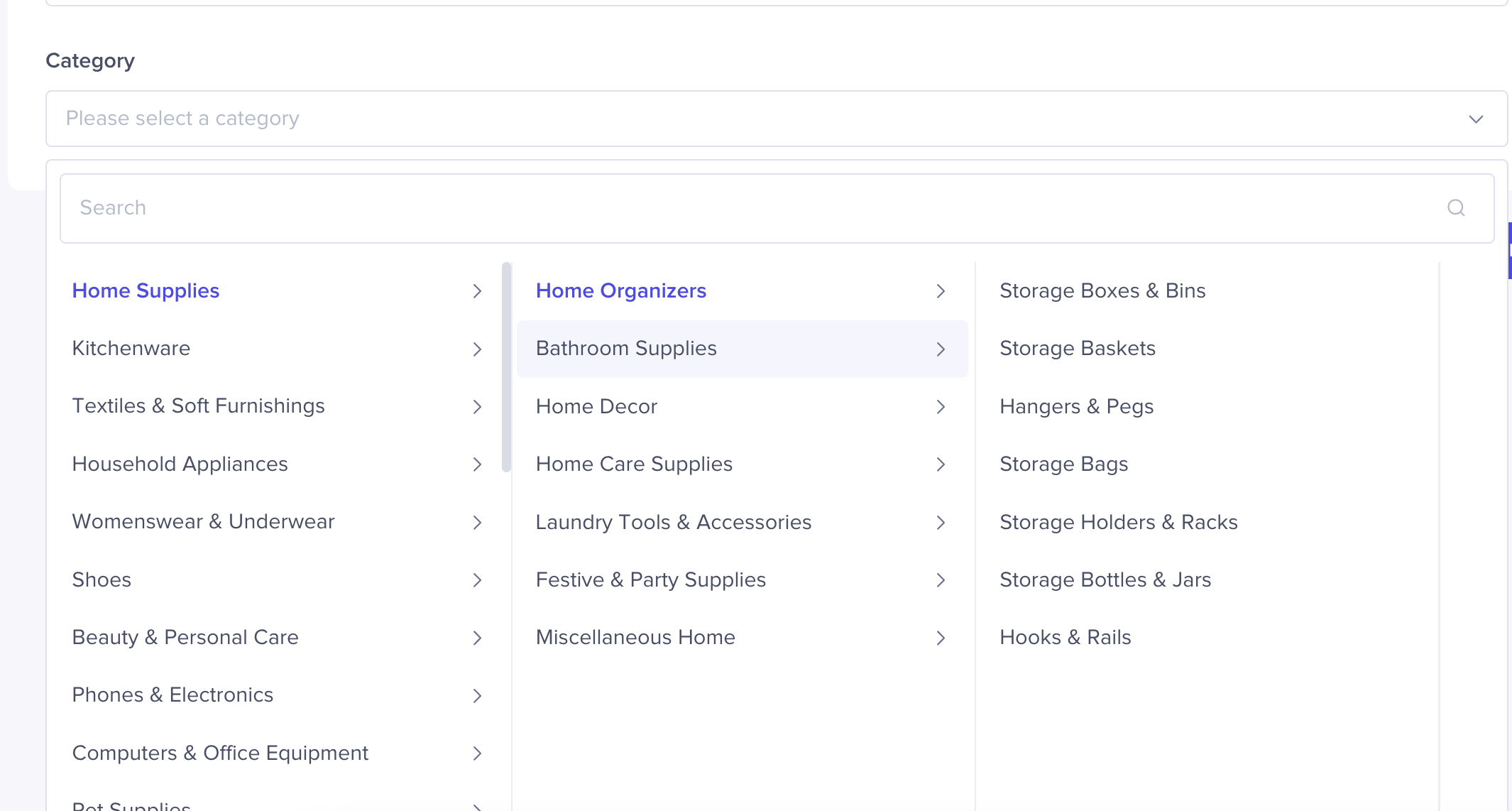
Choosing Category via Keywords
Sellers can input descriptive keywords into the "Product Name" section. Based on the keywords provided, potential categories may be recommended for sellers to choose from. Please ensure that the keywords used accurately describe your product and match the product sold.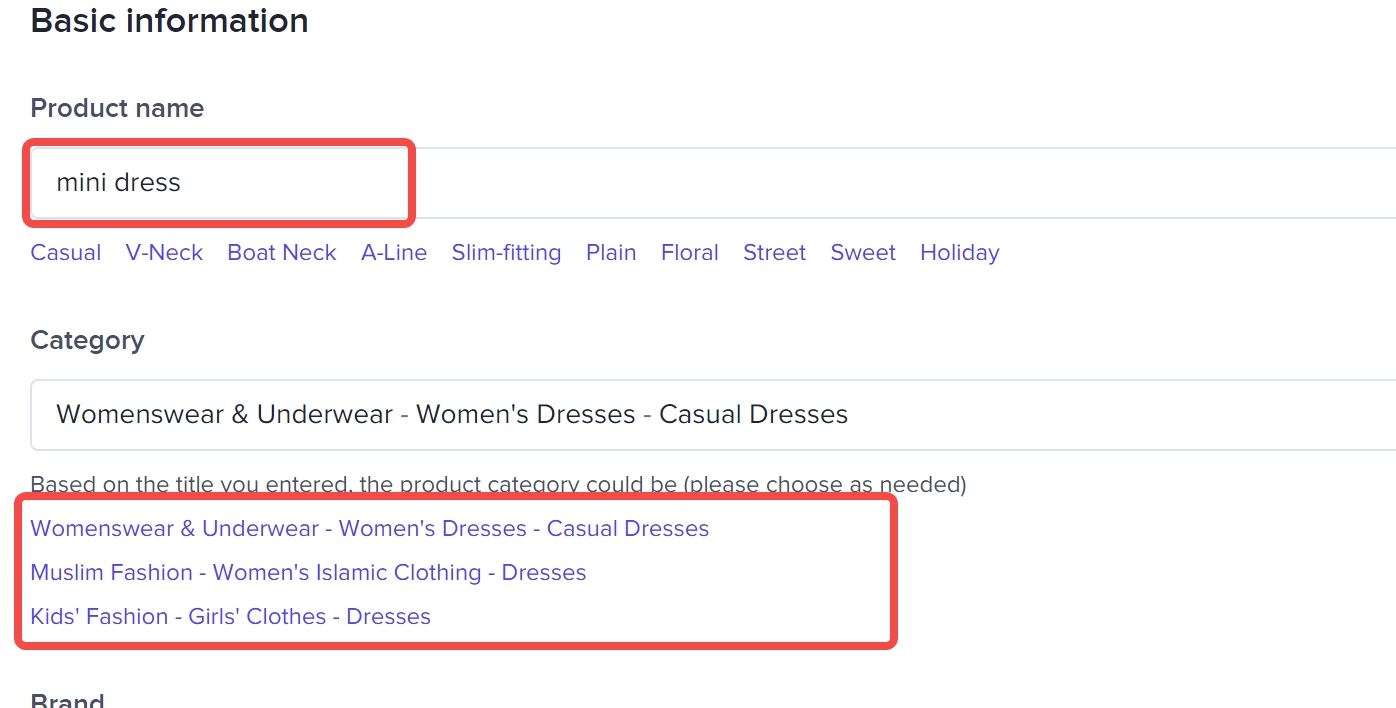
The best way to choose the right category
Utilise Product Categorisation Feature
When uploading a product, the Product Categorisation Feature will automatically suggest a product category based on the Product Name added:✅ Enter the Product Name based on the preferred format: [Brand] + [Content] + [Product Type] + [Main Function/Feature]✅ Double check the accuracy of the suggested product category
Fine-tune the suggested category before submission
In some cases, the product's name will not display a suggested category. In this case, sellers can manually select a category.