

"Invite Only" Products
What are "Invite-only" Products?
TikTok Shop cares about the safety of its customers. To promote a secure and positive shopping environment, we restrict the sale of certain products on our TikTok Shop platform.Invite-only products refer to specific product categories that can only be sold if a seller has been onboarded via an "invite-only" process. Sellers who have not been onboarded via this process are prohibited from listing, sharing, or promoting products within these categories.
Examples of "Invite-only" Products
Sellers who wish to sell "invite-only" products must obtain prior approval from TikTok Shop. They must also provide documentation before listing.Product Category | Description | Examples of Documents and Product Listing Requirements |
| Secondhand fashion, secondhand electronics, collectable trading cards |
|
|
| Food (including fresh, chilled and frozen food);Beverages;Supplements |
|
|
| Jewellery, Watches and Accessories |
|
|
| Diapers |
| Sellers who wish to list diaper products should include additional product listing details. Please refer to Section 4.4 of the TikTok Shop Restricted and Unsupported Product Guidelines for more details. |
| Fresh Flowers and Live Plants | Fresh Flowers and Live Plants include:
| Sellers who wish to list Fresh Flowers and Live Plants must apply to be Invite-only sellers and may be required to provide the required documentation mentioned below. Additionally, they must include specific product listing details. For more information, refer to our TikTok Shop Restricted and Unsupported Product Guidelines
|
| Power Tools |
|
|
How to Apply to be an "Invite-only" Seller?
TikTok Shop requires sellers who wish to sell "Invite-only" products identified below to be specially invited and onboarded.Here are the steps you should follow to apply as a seller for the "Invite-only" category:
Important note: The Qualification Center is currently only available on desktop.
| Steps | Screenshot |
| Step 1: From the desktop version of the Seller Center, go to My Account > Account Settings > Qualification Center. Step 2: Select "Add category Authorization" Step 3: Select the applicable categories. | Step 1: 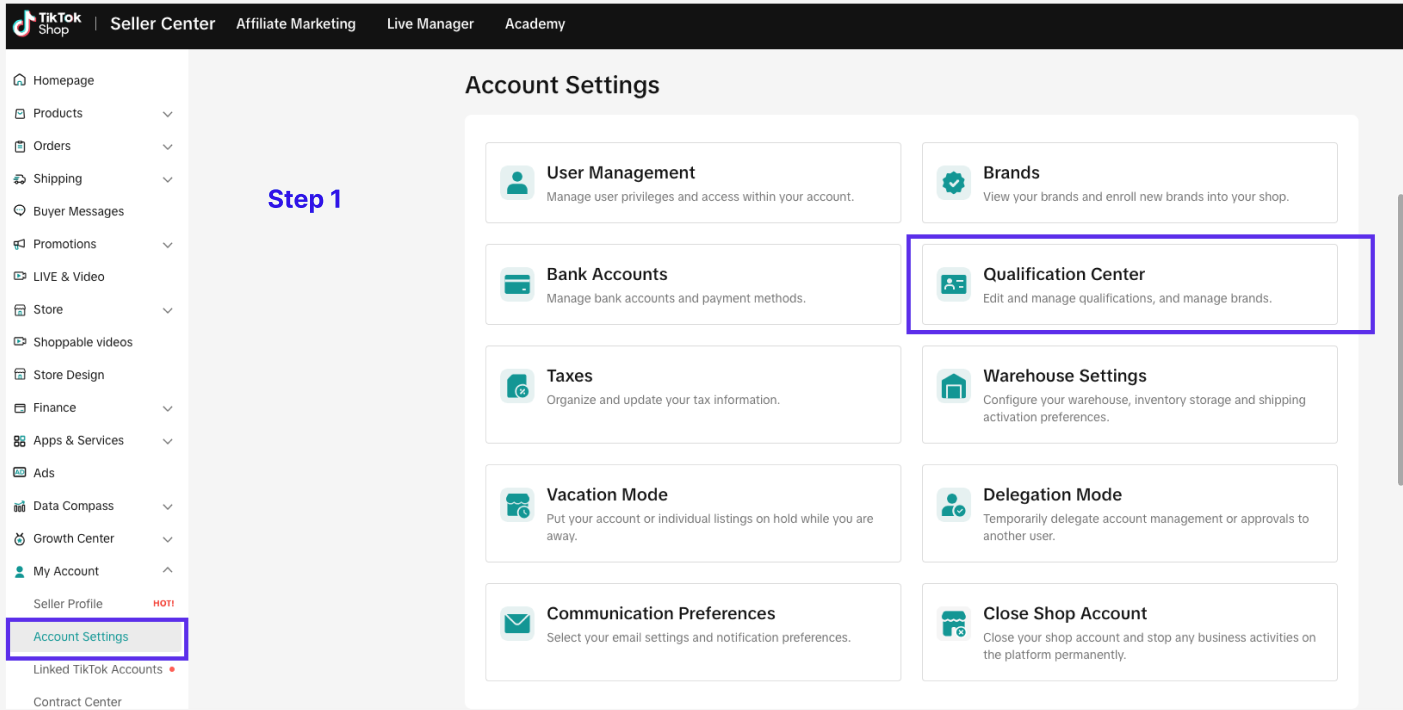  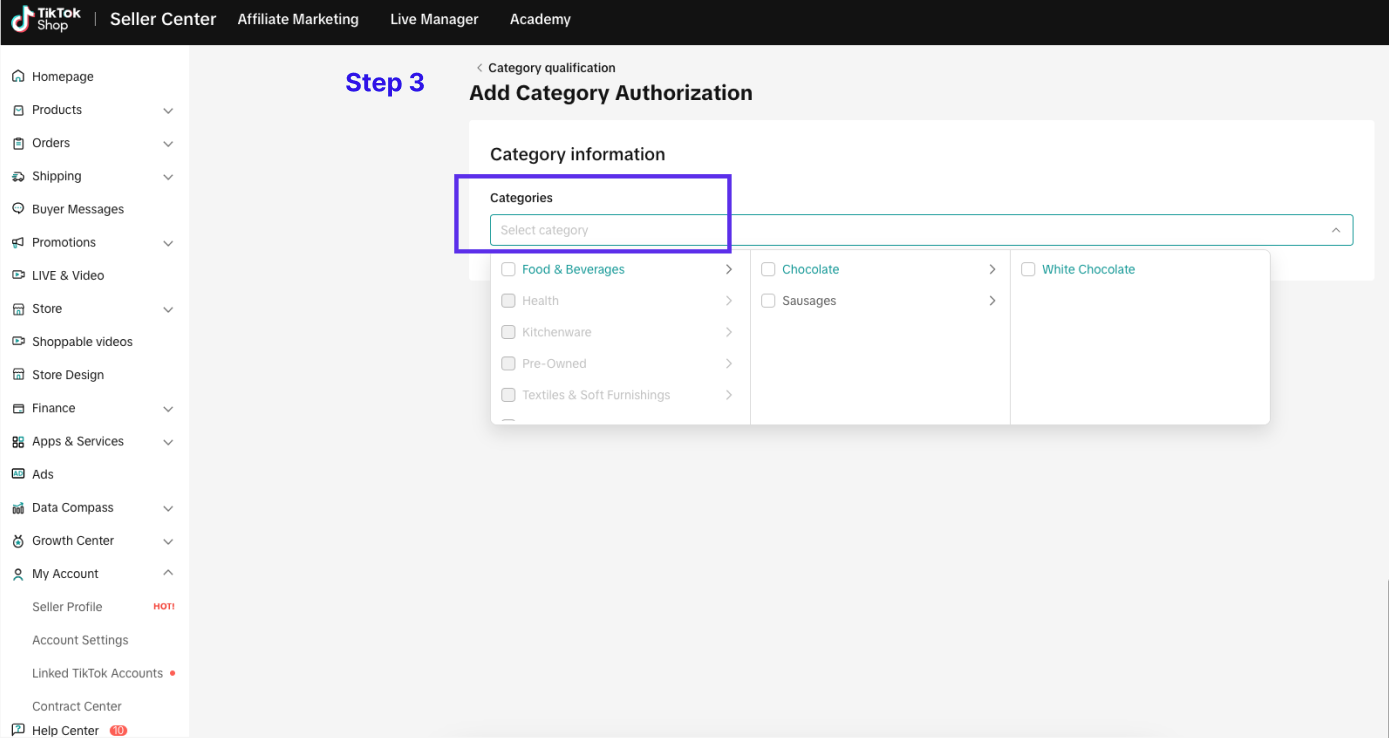 |
Step 4: Submit the relevant documentation as required:
| 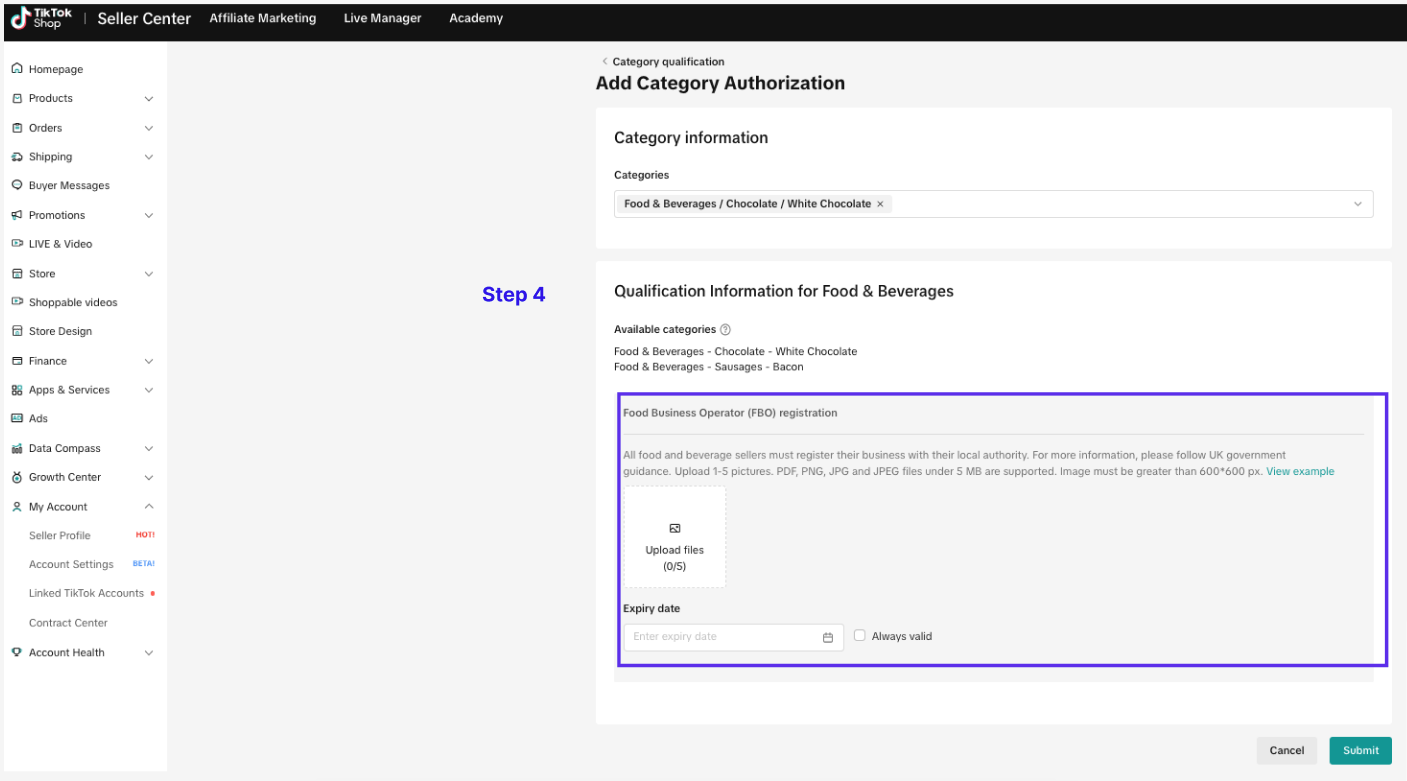 |
Step 5: Submit the request
| 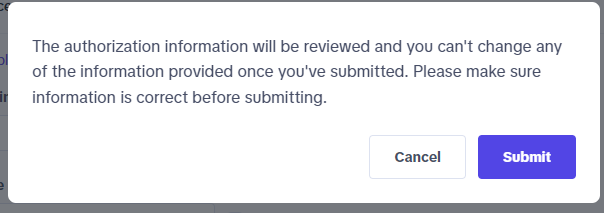 |
Step 6: Review results
| 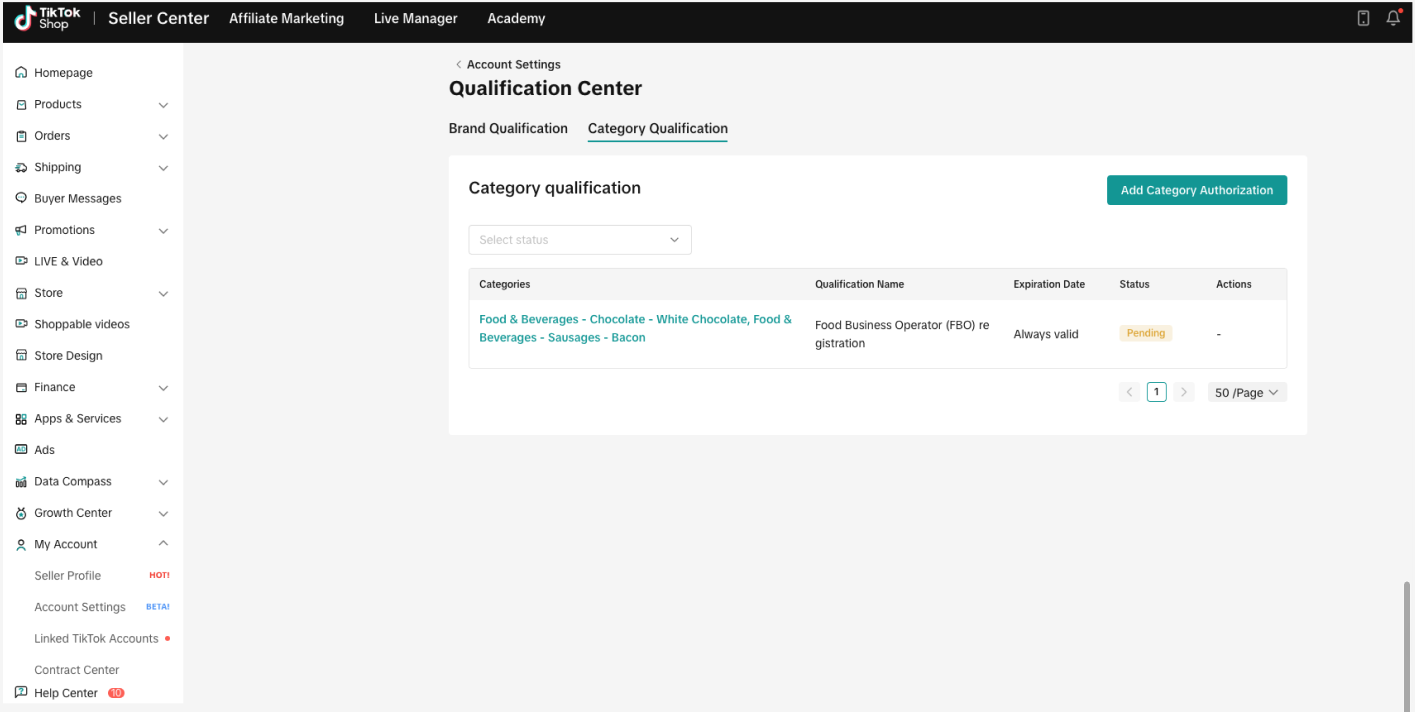 |
What Happens if my Application is Rejected?
If your application for certain categories is rejected, review the reason for rejection and follow the suggested steps to resubmit. If you need further assistance, you can contact us in Seller Center; Help > Help Centre > Chat with us.
What Happens if I List "Invite-only" Products without Approval?
TikTok Shop may audit product listings at any time and take enforcement actions against sellers who violate our guidelines. Some of the enforcement actions we may take are:
- Rejecting product listings.
- Delisting products from the seller's shop.
- Assigning violation points to a seller's shop.
- Seller Centre > Account Health > Shop Health > Violation Records